Showing posts with label Books. Show all posts

Monday, September 9, 2013

Paul Aubin Book Survey Seeks Input

Paul Aubin recently mentioned that he's working on a new book, title TBA. The title is one of the things he's asking about in the survey.


If you are interested in the subject and can spare a few minutes to

Click to Take the Survey

Saturday, May 18, 2013

Autodesk Revit Architecture 2014 Essentials

The release of this book introduces a new team of authors; Tobias Hathorn, Tessa Reist Hathorn and Ryan Duell. They have taken over the book from the team that first introduced it a couple years ago; James Vandezande, Eddy Krygiel, and Phil Read. You are probably already familiar with their other book, "Mastering Autodesk Revit Architecture 20##", the bigger brother to Essentials and the "Introducing" book that was discontinued after the 2012 release.


The Wiley site for the book tells us:

Beginners will get comfortable with Revit's core features and functions. Current users will have a valuable reference to refresh and hone their skills. And everyone can use this practical book to help prepare for the Revit Architecture certification exams. Essentials gets readers up and running on Autodesk Revit Architecture 2014, Autodesk's industry-leading building information modeling software:
  • Explains core Revit tools, features, functionality, real-world workflows, and BIM concepts
  • Covers schematic design, modeling, families, views, creating drawing sets, and more
  • Features best practices, rendering and visualization, worksharing, documentation, and annotation
  • Provides downloadable starting and ending files, so readers can compare their work to that of the pro's 
Autodesk Revit Architecture 2014 Essentials is your perfect introduction to the powerful industry-leading BIM software.

Useful Links:
Description
Table of Contents
Author Information
Downloads

If you are just getting started out with Revit this book may be just what you need. If you have an office of Revit users it might just be a great addition to your library too!

Congratulations to the new team on the release of their book!

Tuesday, September 25, 2012

Only One Book is Allowed

I wrote a tweet the other day asking,"I wonder why the question, "Which Revit book should I buy?" seems to imply that we are only allowed one, one choice, one on our shelf?"

We all learn a bit differently, so options are good. I think it is a disservice to all of us to assume one source is sufficient or that we must only pick the "best" book. I learn stuff from all the things I read, even if some parts are useless to me personally or perhaps poorly delivered. We are talking about someone's living. Spending a few hundred dollars in the interest of making a better living seems easy math to me, and I'm not even very good at math!

Don't restrict your opportunities to learn! My $0.02

Tuesday, July 17, 2012

New Revit Family eBook

A new eBook is available for family editors out there. It's priced at $19.95 and weighs in at 16 chapters and 751 pages (virtual weight since it's an eBook). If you are familiar with the Little Details Count site then you are familiar with Michael Anonuevo's work. He's prepared a sampler PDF that you can download to evaluate before committing your Twenty. The sampler is 113 pages.


Seems to me that this book will undermine his content site? He's sharing his experience with everyone and now we won't need to buy his highly detailed content? :) His "loss" is our gain!

Click to Download the PDF.

Thursday, April 5, 2012

Book Jinx

A little off topic today. I'm developing a complex. I've been involved with two books that are no longer getting published. The first book is Mastering Autodesk Revit Structure 2010 (Wiley/Sybex). I did the technical editing for it. The following year (and version of Revit) Wiley chose not to continue publishing it. The sales were too slight to justify the effort and expense unfortunately.

That could mean structural engineers are too smart for it, or just weren't interested in a book, or that the authors, editors and publisher didn't do a good enough job marketing it, or that it just wasn't very good. The authors were no slouches, the material was solid, the publisher has a little bit of experience so it seems to me that the only possible conclusion is me....that I'm a book jinx!

The second book is Introducing Autodesk Revit Architecture 2012 (also Wiley/Sybex). I contributed four chapters to the 2011 and 2012 editions. The sales were too slight for this one too, the 2012 edition (2011 year). Same story as the other book, I've jinxed another book! It did take me longer to "kill" this one though. I wrote the foreword for the 2010 version and then contributed to 2011 and 2012.

If I try to deflect some blame I think Wiley's product offering for Revit Architecture is a bit crowded now. They offer Mastering Autodesk Revit 2013, Autodesk Revit 2013 Essentials and Autodesk Revit Architecture: No Experience Required. I don't see a 2013 version for "No Experience..." yet so I'm not sure there is one right now.

In this case (for Revit Architecture) it may just be that the strongest books survived. Can't deny that the Read/Vandezande/Krygiel team plus their supporting cast of specialty chapters and authors make a pretty formidable product!

Books that "expire" to some degree every 12 months because of new versions of Revit generates a cycle of create/sell that only leaves a very short window to sell before the next one needs to be ready. Frankly I'm amazed that any get published at all.

Feel like living dangerously? Like testing theories? Ask me to help with your book! It might be the best way to stop being an author. ;)

Friday, November 11, 2011

New Book for Revit and Interior Design

Daniel Stine teamed up with Aaron Hansen to write a new book with a focus on Interior Design. The formal title is "Interior Design Using Autodesk Revit Architecture 2012" and is published by SDC (Schroff Development Corporation).


They are offering a nice sample chapter on Materials if you want to get a better sense of the book. From the book's description:

"The overall premise of the book is to learn Revit Architecture while developing the interior of a two story law office. The reader is provided an architectural model with established columns, beams, exterior walls, minimal interior walls and roofs in which to work. This allows more emphasis to be placed on interior design rather than primary architectural elements. The chapters chronology generally follows the typical design process. Students will find this book helps them more accurately and efficiently develop their design ideas and skills."

Table of Contents consists of:

  1. Introduction; Leveraging Revit for interior design
  2. Project Navigation
  3. Revit Jumpstart
  4. Materials
  5. Programming
  6. Material Presentation Board
  7. Reception, Lobby and Lounge Design
  8. Office Spaces
  9. Break Room and Work Room
  10. Toilet room design
  11. Floor finishes
  12. Ceiling design
  13. Schedules
  14. Custom Content Creation
  15. Detailing
  16. Renderings
  17. Sheets   

Saturday, September 24, 2011

New Family Editor Resources

First Item of interest:
Paul Aubin recently completed a new video course for the Revit Family Editor, hosted on Lynda.com. These are the families that get attention during the video which is 6 hours and 44 minutes.


Course Highlights are (Table of Contents):

  1. Introduction and high level concepts: covering what a Family is, the Revit element hierarchy, libraries and differences between model and annotation Families. Strategies and course focus are also covered.
  2. Annotation Families: covering kinds of annotation, creating Generic Annotation and Tag Families and using Shared Parameters in Tag Families.
  3. Simple Model Families: covering the overall model Family creation process, hosts and hosted, reference planes, constraints, labeled dimensions, work planes, flexing and testing.
  4. Family Geometry: detailed look at: Extrusions, Blends, Revolves, Sweeps, Swept Blends and void form basics.
  5. Beyond Geometry: includes coverage of identity data, Family Types, Type Catalogs, material parameters, visibility parameters and subcategories.
  6. A Family in a Family: covering nested Families, Shared Families, Profile Families and parametric arrays.Families01 300x125 New Revit Family Editor Course on lynda.com
  7. Controlling Visibility: explores symbolic lines, element visibility, level of detail display and controlling overhead display in plan.
  8. Building Complex Parametric Families: begins tying together many of the previous topics to create a more complex whole. Covers planning, reference plane strategies, nesting components, arrays, parameters, formulas driving parameters and parameters.
  9. Parametric Annotation Family: ties together many previous topics to create a more complex annotation Family. A parametric key plan Family using conditional formulas to drive visibility is showcased.
  10. Driving Angular Parameters: Controlling rotation and angles can be a challenge. This chapter uses a Door Family as an example to showcase how to parametrically control rotation and angular parameters.
  11. Advanced Strategies – Control a curve parametrically: Controlling curves can be a challenge. This chapter uses a brick arch Family to showcase how to parametrically control the flexing of curves in the Family editor. It also delves into advanced and complex formulas used to drive circle geometry. Advanced trigonomic functions are utilized to constraint the curve’s flexing behavior.

Second Item of Interest:

The Revit 2012 Family Standards and Best Practices version 2.0 has been released by CTC (CAD Technology Center).


Read the Table of Contents
Read Sample Pages
To find out more CLICK HERE.


Friday, September 2, 2011

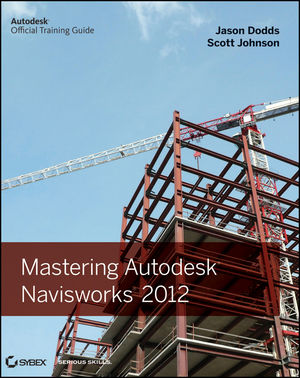
Mastering Autodesk Navisworks 2012

As I just wrote about Navisworks concepts yesterday. I should mention a great new source of information on the product. Wiley/Sybex just published the hard work of two Autodesk Navisworks guys, Jason Dodds and Scott Johnson. Naturally there is a host of people involved in getting a book finished but the guy they relied on to check their claims and recommendations is Michael Smith, their technical editor.


Jason has been supporting Navisworks for many years as well as in his current role as Autodesk Construction Solutions Engineer. Scott also toils at Autodesk, he's a Senior Technical Account Manager. These guys both get called in to make things work. Michael works for C.W. Driver as their BIM Manager in Pasadena, CA. These three together provide the necessary depth to get a book like this finished.

Navisworks can be learned pretty quickly, but it takes some time behind the wheel to really master it. As with anything you tend to learn enough to get by and probably don't really dig deeper. This book provides practical examples throughout in "Real World Scenarios" (a part of the Wiley/Sybex Mastering series format).

There is no shortage of settings in Navisworks and fortunately the guys took enough time to dig into even some of the more arcane stuff, with an eye toward what you are likely to need most of the time. For example in Chapter 4 there is a bit more than page dedicated to the subtlety of exporting from Revit with one option checked or not (Convert element Properties). Unchecked there are six properties exported and checked there are 18...that's just for a roof element.

You can read the Table of Contents and there are three sample chapter excerpts in PDF format; Chapter 2, Chapter 3 and Chapter 4. It's also available as a EPUB E-Book and Adobe E-Book. Here's the table of contents so you can review it directly. There's 456 pages from inside the cover to the back, including the index etc.

Table of Contents
    Chapter 1: Getting to know Navisworks.

    Chapter 2: Bringing it all together: Files and File Types.

    Chapter 3: Moving around the Model.

    Chapter 4: Climbing the Selection Tree.

    Chapter 5: Model Snap Shots: Sections, Viewpoints and Animations.

    Chapter 6: Documenting Projects.

    Chapter 7: 4D Sequencing with TimeLiner.

    Chapter 8: Clash Detection.

    Chapter 9: Creating Visualizations with Navisworks.

    Chapter 10: Animating Objects.

    Chapter 11: Give Objects Life and Action with Scripter.

    Chapter 12: Collaborating Outside of Navisworks.

    Chapter 13: Other Useful Navisworks Tools.
Some other Links
Book Description
Author Information
Supporting Files

If you are a Navisworks person you'll probably want this in your collection, check it out!!