Showing posts with label Recommendations. Show all posts

Saturday, March 30, 2013

What is Revit and BIM Resource

Alex Gore and his firm F9 Productions have created, as part of their company website, a resource for people that are just getting started with Revit and BIM or those who are still trying to decide what to do.

The site offers these items of interest:

  • A brief description of important modeling concepts
  • A PDF example of a complete Construction Documentation set
  • The Revit file of the above mentioned PDF
  • A 2012 Revit Residential Template to start your own creations
  • Links to tutorials for further help

A skeptic might read this and regard it as purely a marketing move. Alex's primary motive is to share the wealth with the community so to speak. For example a frequent question or concern people have is being able to see a completed set of documents. This is based on their fear, uncertainty or doubt that another software application, that is so intrinsically tied to how they make money, will truly be able to do what they need to do. So at the very least being able to examine their sample project and set may be useful, and if it is then the rest is "gravy". Have a look, see if you find something useful.

Friday, December 30, 2011

Shades of Grey Revit Blog Plug

This is a brief post to plug Andy Milburn's blog Shades of Grey. He started blogging in October of 2010 and his work is a fine testimony to quality over quantity.


Lately his posts have been about his exploration into the work of various masters and how he's used Revit to further his study of  them. I enjoy his work and appreciate that he takes the time to share it with us. If you haven't already found his blog I think you owe it to yourself to subscribe so you won't miss future posts.

Friday, September 2, 2011

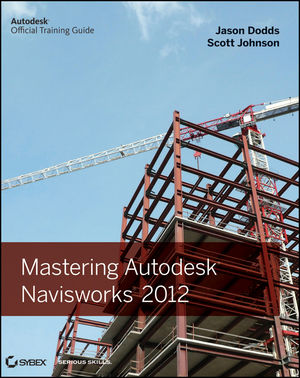
Mastering Autodesk Navisworks 2012

As I just wrote about Navisworks concepts yesterday. I should mention a great new source of information on the product. Wiley/Sybex just published the hard work of two Autodesk Navisworks guys, Jason Dodds and Scott Johnson. Naturally there is a host of people involved in getting a book finished but the guy they relied on to check their claims and recommendations is Michael Smith, their technical editor.


Jason has been supporting Navisworks for many years as well as in his current role as Autodesk Construction Solutions Engineer. Scott also toils at Autodesk, he's a Senior Technical Account Manager. These guys both get called in to make things work. Michael works for C.W. Driver as their BIM Manager in Pasadena, CA. These three together provide the necessary depth to get a book like this finished.

Navisworks can be learned pretty quickly, but it takes some time behind the wheel to really master it. As with anything you tend to learn enough to get by and probably don't really dig deeper. This book provides practical examples throughout in "Real World Scenarios" (a part of the Wiley/Sybex Mastering series format).

There is no shortage of settings in Navisworks and fortunately the guys took enough time to dig into even some of the more arcane stuff, with an eye toward what you are likely to need most of the time. For example in Chapter 4 there is a bit more than page dedicated to the subtlety of exporting from Revit with one option checked or not (Convert element Properties). Unchecked there are six properties exported and checked there are 18...that's just for a roof element.

You can read the Table of Contents and there are three sample chapter excerpts in PDF format; Chapter 2, Chapter 3 and Chapter 4. It's also available as a EPUB E-Book and Adobe E-Book. Here's the table of contents so you can review it directly. There's 456 pages from inside the cover to the back, including the index etc.

Table of Contents
    Chapter 1: Getting to know Navisworks.

    Chapter 2: Bringing it all together: Files and File Types.

    Chapter 3: Moving around the Model.

    Chapter 4: Climbing the Selection Tree.

    Chapter 5: Model Snap Shots: Sections, Viewpoints and Animations.

    Chapter 6: Documenting Projects.

    Chapter 7: 4D Sequencing with TimeLiner.

    Chapter 8: Clash Detection.

    Chapter 9: Creating Visualizations with Navisworks.

    Chapter 10: Animating Objects.

    Chapter 11: Give Objects Life and Action with Scripter.

    Chapter 12: Collaborating Outside of Navisworks.

    Chapter 13: Other Useful Navisworks Tools.
Some other Links
Book Description
Author Information
Supporting Files

If you are a Navisworks person you'll probably want this in your collection, check it out!!